From an image to a virtual molecular view
A single H&E slide can become a new window into tissue biology.
What a map like this is for
- Explore archived cohorts. Bring previously unprofiled cases into molecular research and give earlier collections a continuing role in discovery.
- Compare tissue regions. Set the regions of one section, or of many sections, side by side on the same predicted genes.
- Prioritise follow-up experiments. Choose where to place the next capture area, which samples to measure first, and which hypotheses to take to validation.
Decide whether Aurora fits your research.
Explore the spatial molecular view Aurora predicts from morphology
Explore the example slide on the website, in your browser. The slide below is another: an open-access melanoma that had spread to a lymph node.
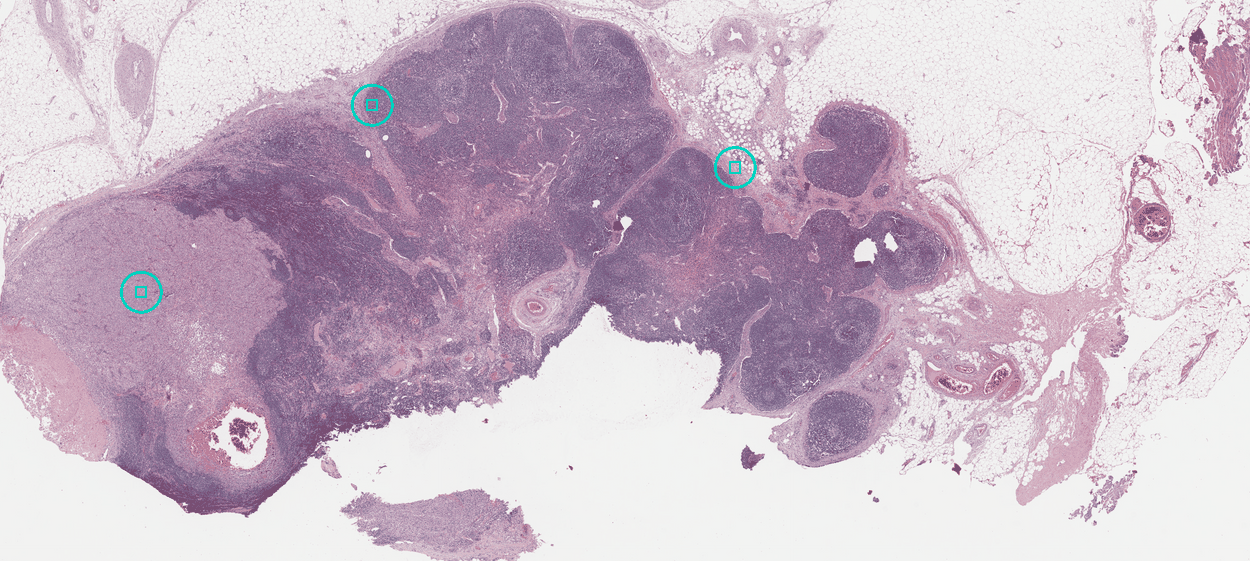
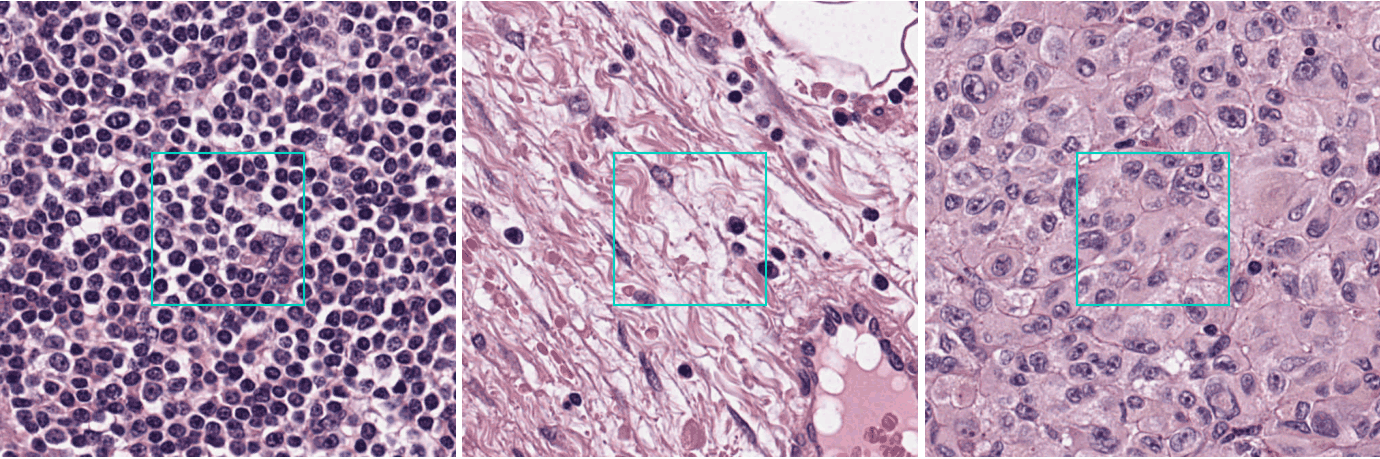
Three things sit side by side in that node: its own lymphoid tissue, the collagen that wraps and divides it, and the deposit that has replaced part of it. Here they are up close.
Genes you can check against the stain
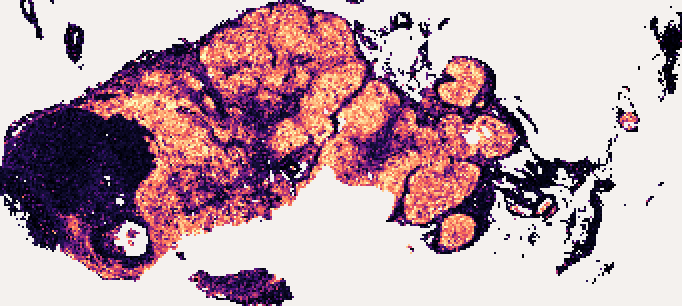
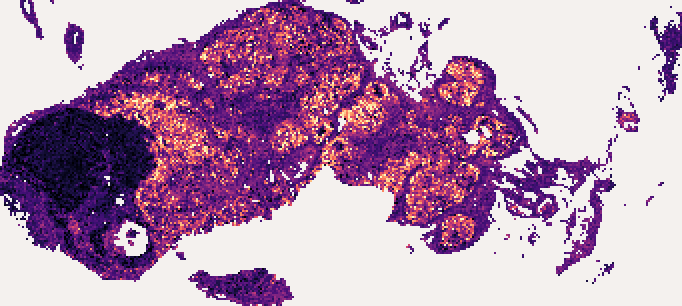
A prediction covers every gene the model returns, and a map can be checked against the slide itself.
Two are shown here, each for a structure a pathologist can point at.
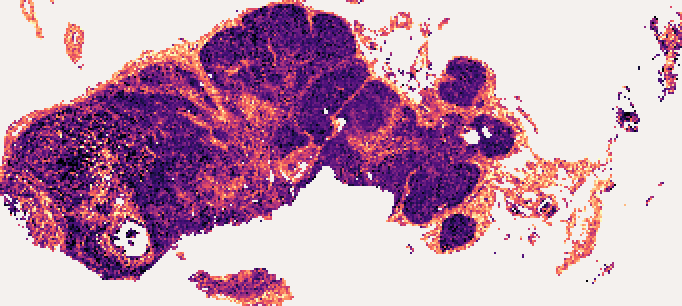
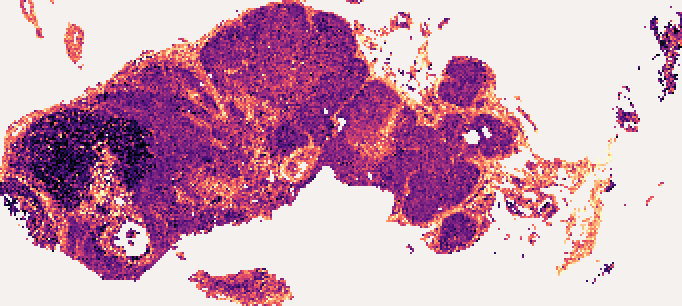
| Gene | High in | The stain a pathologist knows it by |
|---|---|---|
MS4A1 |
the node's B-cell follicles | the B-cell protein a CD20 stain reports |
COL1A1 |
the collagen of the capsule and the septa | type I collagen, the fibre a trichrome stain picks out |
The deposit is what stays dark in both maps.
The same slide, with and without a bulk profile
Revisit existing bulk RNA findings in their tissue context, using sample-matched profiles to inform predicted gene maps. Without a bulk profile, Aurora predicts from the slide alone.

Next
- Install and prepare a slide: cut a slide into tiles on your own machine and pack it.
- Your slides stay with you: compute the numbers here and send those.
- Add a bulk RNA profile: how to send one, in two calls.